
Reporting a problem
Updated 7 October 2026
Inside a lesson use "Report a lesson problem"; anywhere else use the contact page; either way you get a reference and a reply by email and in your Support inbox.
Inside a lesson, open Report a lesson problem under the lesson (you need to be signed in). Anywhere else, use the contact page. Both give you a reference straight away, and a person replies by email and, if you're signed in, in your Support inbox.
Where to report the problem
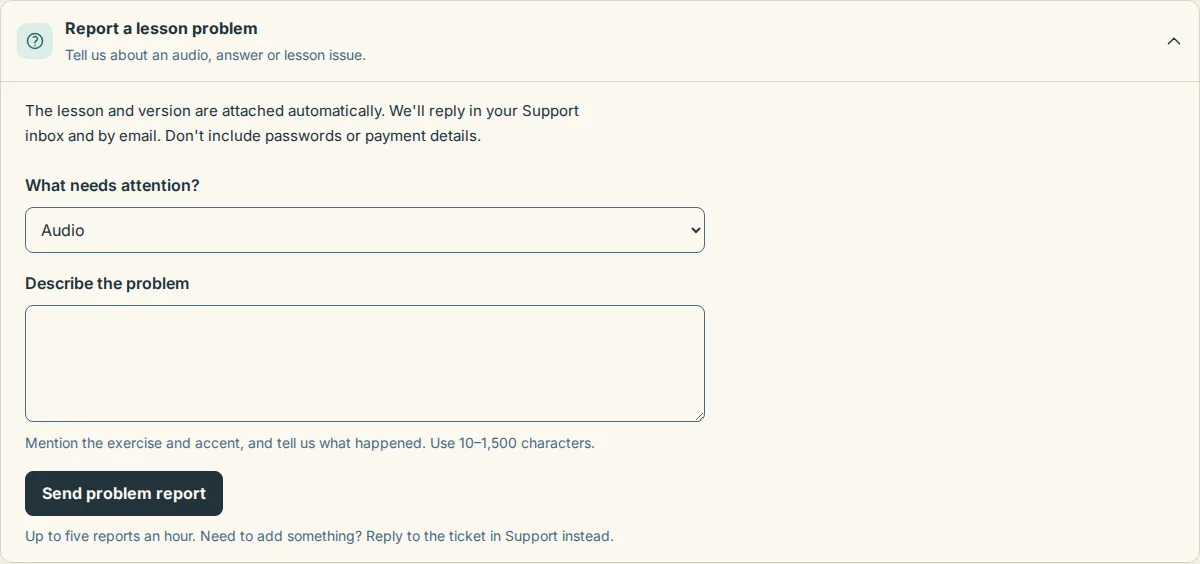
In a lesson: Report a lesson problem. Best for a wrong word in the script, an answer marked wrong, an unhelpful hint, missing sound or a clip you think should be open. The lesson and its version are attached for you, so you only describe what happened. Signed-in accounts only, up to five reports an hour. Details in A lesson looks wrong.
Everywhere else: the contact page. Choose what it's about: "A lesson or its audio seems wrong", "I can't sign in, or my account looks wrong", "Billing, refunds, invoices" or "Something else". Then tell us what happened (10–3,000 characters) and add up to three screenshots (PNG, JPG, WebP, GIF or PDF, 5 MB each). Guests give a name and an email address; signed-in members are filled in already. Signed in, you can also choose Support in the header and start a new conversation there.

What to include
- What you did: the page or the lesson name, the clip and the accent.
- What you expected to happen.
- What happened instead, with the exact words of any message on screen.
- Your phone or computer and the browser.
- The Support reference from an error page. When a page fails to load, the code at the bottom (it starts with ME-) tells us exactly which request went wrong, so copy it into your message.
Don't include passwords or full card numbers; we never need them.
What happens next
- You land on Message sent with Your reference in large type and a Copy reference button. Signed in, the page says "You can follow this in your Support inbox." As a guest, it confirms that we've emailed your address a link so you can add to the conversation any time.
- A person reads your message. We aim to reply within one working day. Our support hours are Monday to Friday, 09:00 to 18:00 CET. Checking or resolving a problem can take longer.
- Reply to that email, or use your link, and everything stays in one conversation.
If the confirmation email hasn't arrived after a few minutes, check your spam folder and keep the reference; we reply to the address you gave either way. If you see "You've sent a few messages in a row — give it a little while", wait a bit and try again, or email support@microenglish.com directly.
Ideas are welcome too
Suggestions, feature requests and accessibility notes go through "Something else" on the contact page, and we read every one. If a help article didn't answer your question, choose No under "Did this help?" at the bottom of it and then Contact us about this; the article is attached so you don't have to explain where you were.
