Idiom
Cut to the chase
What does “cut to the chase” mean?
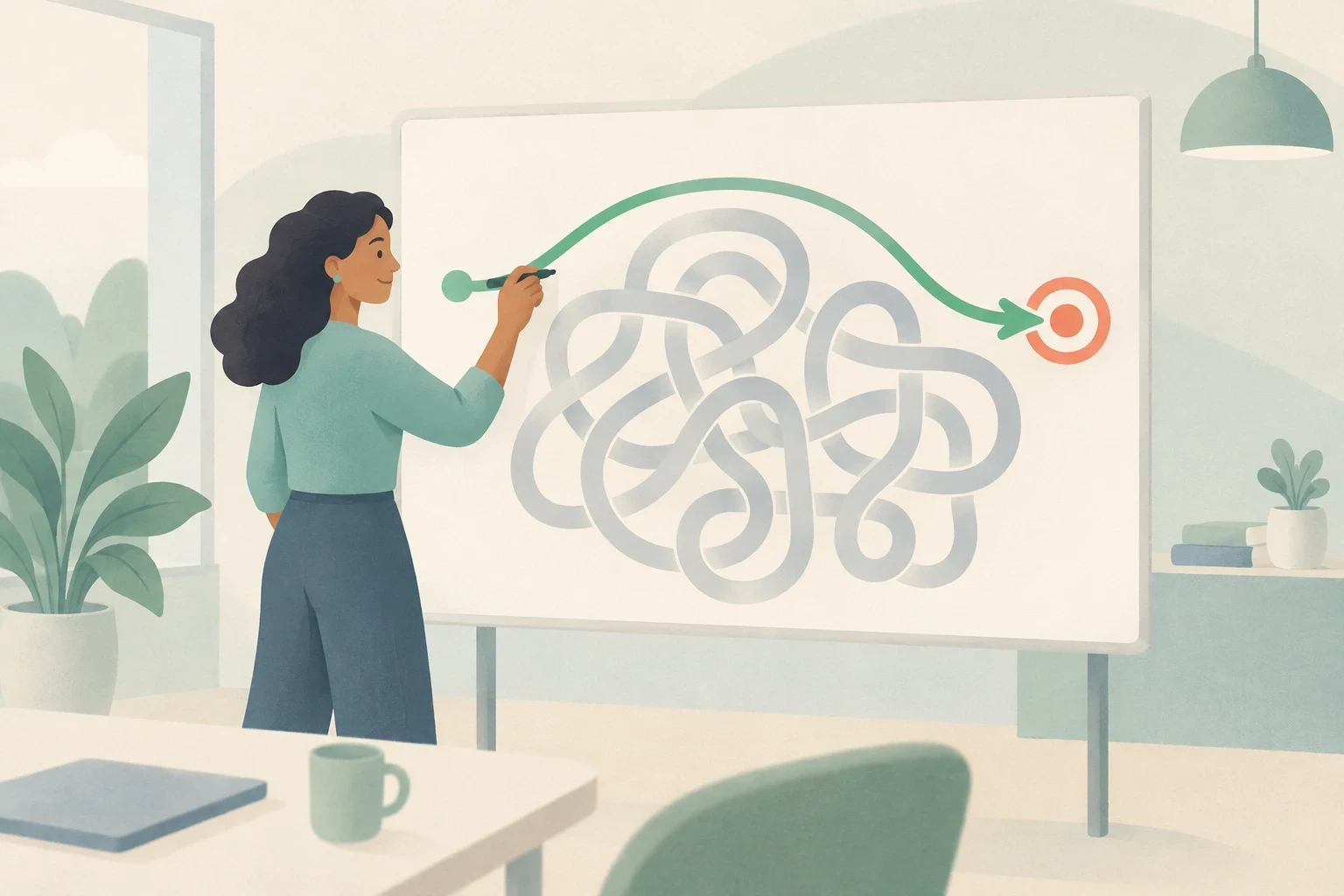
To cut to the chase means to bypass introductory background and address the primary issue or practical decision directly.
Key points
- Remember to keep both connecting words intact: cut to the chase.
- Cut remains identical in the present and past.
- Frame the expression with 'I will' or 'let us' to protect your conversational tone, and never confuse direct communication with cutting corners.
This lesson has 5 stages. You can stop at any time and continue later.

Stage 1 of 5
Understand
What it means, when to use it, and mistakes to avoid.
Watch & learn
Cut to the chase: meaning and listening practice
Learn Cut to the chase with Bella, then practise with British and American conversations, speaking time and common questions. B2 English.
Line 1 of 7 · Bella (tutor)
, to MicroEnglish. Here's a :
Say this line out loud, then continue.
The video could not continue. Try again or use the transcript below.
Your session
Learn with the video 15 min
Watch a short part, answer a question and practice what you heard. Then talk it through with the tutor.
The first part is free. Members continue to part 2 and can ask for more.
Key words in this video
Example
Memory tip
Goes with
Related forms
Not to be confused with
From this video
We couldn't load this word. Try again.
Examples
I will cut to the chase: we need to replace the washing machine today.
Why it works: The speaker applies the phrase to their own message to introduce the central request without delay.
2 more examples
-
We have five minutes left before our bus arrives, so let us cut to the chase.
Using 'let us' creates a collaborative tone that keeps the request friendly.
-
She cut straight to the chase and showed everyone the repair invoice.
Adding 'straight' emphasizes promptness while maintaining the past tense form of cut.
Read the full guide
Decide When to State Your Main Point Directly
When people speak in everyday situations, they often share background explanations, personal feelings, and minor details before reaching the real point. The expression 'cut to the chase' means to leave out those preliminary stories and move straight to the central matter. It is a figurative idiom, so nobody is physically cutting an object or chasing anyone down a street. The phrase focuses entirely on how you organize your message, not on speaking at a faster rate. You can use it before delivering your own key information, rather than waiting for an awkward silence or interrupting an ongoing discussion.
-
I will cut to the chase: we cannot use the kitchen until tomorrow morning.
Why it works: The speaker skips lengthy details about plumbing work and delivers the central fact immediately.
-
Before you tell me the whole story, let us cut to the chase about the rental deposit.
Why it works: The speaker steers a broad discussion toward the specific financial question that needs resolution.
Your turn
What does a speaker achieve when they choose to cut to the chase?
Answer: They leave out extra background details to focus on the primary issue.
Show the answer
Answer: They leave out extra background details to focus on the primary issue.
The expression is figurative and refers to focusing on the main message rather than speaking rapidly or taking physical action.
Recognize the Shift from Explanations to Action
Consider an ordinary household situation where two roommates are getting ready for work. One roommate begins explaining that the washing machine made strange rattling sounds during the final cycle, leaked water across the tile floor, and failed to spin the heavy blankets. The listener is holding their coat and preparing to leave for the train station. Instead of describing every mechanical noise, the speaker says, 'I will cut to the chase: can you help me carry these heavy wet clothes to the laundromat down the block?' The practical request becomes immediately clear, allowing both housemates to coordinate their morning without frustration.
-
The washer is broken, but to cut to the chase, I need twenty dollars for the laundromat.
Why it works: The speaker moves past machine mechanics to state the concrete financial need.
-
I know you are running late, so I will cut straight to the chase and ask for a ride.
Why it works: Acknowledging the listener's time before the idiom helps maintain good relations.
This also comes up in Touch a nerve and Singing your praises.
Your turn
In the housemate dialogue, why does the speaker introduce the idiom before asking for help?
Answer: To signal that they are skipping the rest of the repair story to make their request.
Show the answer
Answer: To signal that they are skipping the rest of the repair story to make their request.
Using the idiom tells the listener that the background story is ending and the direct practical request is coming next.
Preserve the Fixed Grammar of the Expression
The expression 'cut to the chase' is a fixed idiom that requires both the preposition 'to' and the definite article 'the'. If you omit either word by saying 'cut the chase' or 'cut to chase', the sentence sounds ungrammatical and unnatural to native speakers. You can add the adverb 'straight' between the verb and the preposition for extra emphasis, producing 'cut straight to the chase'. Notice that the verb 'cut' is irregular: its base form, present form, and past form are all identical. You say 'he cut to the chase yesterday', never 'cutted'. You may also hear progressive forms like 'cutting to the chase' or third person forms like 'she cuts to the chase'.
-
During our morning check, our supervisor cut straight to the chase regarding the project deadline.
Why it works: The past tense uses the unchanged verb 'cut' along with 'straight' for added emphasis.
-
We are running out of battery power, so let us cut to the chase.
Why it works: Both 'to' and 'the' remain in their exact positions after the base verb.
Your turn
Which sentence preserves the required grammatical structure of the expression?
Answer: I will cut to the chase: our electricity bill must be paid before noon.
Show the answer
Answer: I will cut to the chase: our electricity bill must be paid before noon.
The correct form keeps both 'to' and 'the', and uses the standard irregular verb form 'cut'.
Select a Frame that Fits Your Relationship
Because 'cut to the chase' is an informal and direct expression, delivering it as a bare command like 'cut to the chase now' can sound aggressive or impatient. You can protect your relationships by choosing respectful sentence frames. When you apply the idiom to yourself with 'I will cut to the chase', you take responsibility for moving the conversation forward without criticizing your listener. Using collaborative phrases like 'let us cut to the chase' or questions like 'can we cut to the chase?' softens the directness, though tone of voice still matters. When speaking with unfamiliar executives or formal clients, use neutral alternatives such as 'Could we focus on the main question?' instead.
-
I will cut to the chase: our team needs two more days to complete the report.
Why it works: Framing the expression around your own message sounds confident and respectful.
-
Could we focus on the main question regarding our delivery schedule?
Why it works: A neutral question avoids idiomatic informality when speaking with external clients or managers.
Your turn
Why is saying 'I will cut to the chase' usually safer than saying 'Cut to the chase' to a colleague?
Answer: It focuses the action on your own speech rather than telling the other person how to speak.
Show the answer
Answer: It focuses the action on your own speech rather than telling the other person how to speak.
Directing the phrase at your own words prevents the listener from feeling criticized or rushed.
Separate Direct Speech from Careless Work
Learners sometimes confuse 'cut to the chase' with the idiom 'cut corners' because both expressions begin with the verb 'cut' and involve saving something. However, their meanings are entirely different. To 'cut corners' means to perform a task poorly, skip necessary safety steps, or use cheap materials in order to save time or money. In contrast, 'cut to the chase' applies only to spoken or written communication, where you skip introductory talk to highlight the main subject. In addition, beware of structural mistakes like omitting function words or adding regular past endings to create nonexistent forms like 'cutted'.
-
The building contractor was fined because his team cut corners on fire safety inspections.
Why it works: Here 'cut corners' refers to skipping vital procedures and doing poor work.
-
Let us cut to the chase and review the total construction costs for this month.
Why it works: Here 'cut to the chase' refers only to directing the spoken conversation toward key numbers.
Your turn
Which situation correctly calls for 'cut corners' rather than 'cut to the chase'?
Answer: A homeowner skips installing proper insulation to save money on construction costs.
Show the answer
Answer: A homeowner skips installing proper insulation to save money on construction costs.
'Cut corners' means lowering quality or skipping required steps, whereas the other options describe focused communication.
Identify Fast Word Boundaries and Stressed Syllables
In natural spoken English, function words lose their prominence while content words carry stress. In the phrase 'cut to the chase', the words 'to' and 'the' are pronounced with weak schwa vowels. Furthermore, the final /t/ of 'cut' and the initial /t/ of 'to' share the same mouth position. In connected speech, the two adjacent /t/ sounds can share one closure rather than two distinct releases. Careful or emphatic speech may sound different. In a neutral pronunciation, the noun 'chase' often carries the main stress with a diphthong and ends in a voiceless /s/. Do not confuse the clear final /s/ of 'chase' with the voiced /z/ sound heard in 'choose'.
-
Listen to how 'cut to the' sounds like a single connected rhythm unit before 'chase'.
Why it works: The adjacent /t/ sounds blend together, making the grammatical words hard to isolate by ear.
-
She chose to cut to the chase and announce her resignation.
Why it works: Notice the difference between the voiced /z/ in 'chose' and the crisp voiceless /s/ ending 'chase'.
Your turn
How do native speakers typically pronounce the boundary between 'cut' and 'to' at normal conversational speed?
Answer: They merge the adjacent 't' positions into one held closure before releasing the weak vowel.
Show the answer
Answer: They merge the adjacent 't' positions into one held closure before releasing the weak vowel.
Connected speech blends identical adjacent consonants so that the boundary sounds like a single held 't'.
Decode Dictation Sentences Using Step-by-Step Clues
Training your ear to write complete sentences requires systematic decoding rather than random guessing. When you listen to a fast audio recording, start by identifying the speaker's main communicative goal: are they asking for help, proposing an agenda, or delivering a business update? Next, listen for the stressed noun 'chase' to locate the core idiom within the utterance. Once you recognize that anchor, reconstruct the weak grammatical words 'to the' that immediately precede it. Finally, check the surrounding verb frames, verifying whether the speaker used 'will', 'let us', or an irregular past form, before writing down your final verified transcript.
-
Step 1: Notice that the speaker wants an immediate decision about hotel reservations.
Why it works: Identifying the purpose helps you anticipate the practical request following the idiom.
-
Step 2: Hear the prominence on 'chase' and write the full chunk 'cut to the chase'.
Why it works: Using the stressed word as an anchor prevents you from omitting the weak linking words.
Your turn
What is the recommended first step when listening to an audio dictation containing an idiom?
Answer: Identify the speaker's overall communicative purpose before focusing on individual function words.
Show the answer
Answer: Identify the speaker's overall communicative purpose before focusing on individual function words.
Understanding the speaker's goal gives you the context needed to accurately decode fast or reduced speech sounds.
Combine Direct Precision with Respectful Phrasing
Writing a direct request requires balancing clarity with social consideration. If you need urgent information from a busy coworker or roommate, state your practical objective immediately while acknowledging their circumstances. Start your written message by naming the shared situation in one short clause. Follow with an appropriate frame such as 'I will cut to the chase' or 'could we cut to the chase', and conclude with your specific question or deadline. Review your draft to confirm that you included both 'to' and 'the', used the base or correct past form of 'cut', and avoided sounding impatient or abrupt.
-
I know you are preparing for your client call, so I will cut to the chase: do you have the spare keys?
Why it works: The opening shows empathy, while the idiom leads into an unmistakable request.
-
We have only twenty minutes before the library closes, so let us cut to the chase and pick our topic.
Why it works: A collaborative frame turns time pressure into shared motivation.
Your turn
Which written sentence best balances clear directness with polite consideration?
Answer: I know your afternoon is busy, so I will cut to the chase: could you approve the final budget draft?
Show the answer
Answer: I know your afternoon is busy, so I will cut to the chase: could you approve the final budget draft?
This option acknowledges the reader's busy day, uses the correct grammatical frame, and states the request politely.
Use it naturally
How people really use “cut to the chase”
Informal Relaxed; better with friends and colleagues than in formal writing.
Words it often goes with
- cut straight to the chaseMy sister cut straight to the chase and asked about the adoption fee.
- let me cut to the chaseIf you have a moment, let me cut to the chase and explain what we need.
- cut to the chase and askI'll cut to the chase and ask whether this dog needs a yard.
What people also say
- “Let me get to the point.” instead of “Allow me to address the primary issue.” This sounds more relaxed in everyday conversation.
Questions about "Cut to the chase"
What does “cut to the chase” mean?
It means to leave out unnecessary introductory details and speak directly about the most important topic. The phrase is figurative, meaning there is no physical chase. Speakers use it to save time and focus attention.
I will cut to the chase: we need to choose a new date.
Is “cut to the chase” rude?
It can sound blunt or impatient if you say it as an order to another person. However, applying it to yourself or framing it as a collaborative suggestion with 'let us' makes it sound direct and practical rather than impolite.
We only have five minutes left, so let us cut to the chase.
Can I say it to my boss?
You should generally avoid telling your boss or a client to cut to the chase, because an imperative command sounds disrespectful. If you want to steer an executive conversation toward the main topic, ask a polite question instead.
Could we focus on the main question regarding our timeline?
Can I say “cut straight to the chase”?
Yes. Adding the word 'straight' right after the verb 'cut' adds emphasis. It emphasizes that you are moving to the core point immediately without any delay or hesitation.
She cut straight to the chase and announced the final decision.
What is the past tense of “cut to the chase”?
The past tense is also 'cut to the chase' because 'cut' is an irregular verb that does not change its form in the simple past. Never say 'cutted', as that form does not exist in standard English.
Yesterday morning he cut to the chase and explained the budget problem.
Is it the same as “cut corners”?
No. 'Cut corners' means doing work carelessly, skipping safety steps, or using cheap materials to save time or money. In contrast, 'cut to the chase' only describes communication and means addressing the main point directly.
We must never cut corners on electrical repairs.
I will cut to the chase and explain our repair costs.
Before you go
Remember this
Remember to keep both connecting words intact: cut to the chase. Cut remains identical in the present and past. Frame the expression with 'I will' or 'let us' to protect your conversational tone, and never confuse direct communication with cutting corners.
Stage 2 of 5
Listen
Hear it in real sentences, from short to long, and write what you hear.
Continue with the four activities from the video: listening, reading, speaking and writing. Back to the video
0 of 4 done
Listening 1 of 4
Listen, then type what you hear. Replay as often as you need.
0:00
- We have five minutes left before our bus arrives, so let us cut to the chase.
- She cut straight to the chase and showed everyone the repair invoice.
Listening 2 of 4
Listen, then type what you hear. Replay as often as you need.
0:00
- We have five minutes left before our bus arrives, so let us cut to the chase.
- She cut straight to the chase and showed everyone the repair invoice.
Try a longer clip. Listen once, then replay the part you missed.
Listening 3 of 4
Listen, then type what you hear. Replay as often as you need.
0:00
- We have five minutes left before our bus arrives, so let us cut to the chase.
- She cut straight to the chase and showed everyone the repair invoice.
This clip is longer. Follow the instruction above the answer field.
Listening 4 of 4
Listen, then type the missing words. The rest of the text is already there.
0:00
- We have five minutes left before our bus arrives, so let us cut to the chase.
- She cut straight to the chase and showed everyone the repair invoice.
Practice complete
You listened closely.
Your result is saved in this browser.
Keep your progress. Your practice is saved on this device only. Create a free account to keep it everywhere.
Create a free accountThat was today's free lesson. Tomorrow you get another one. Want more today? See membership.
Create a free SubLearn account to keep this progress across devices.
Save my progressStage 3 of 5
Speak
Say it with the speaker, then use it in your own answer.
Shadow
Say it along with the speaker
Play the line slowly, then speak at the same time as the speaker. Copy the rhythm, not just the words.
Your turn
Say it your way
Speak for 30 to 60 seconds from memory. You are at an animal shelter with your sister, who keeps talking about how cute every dog is. Politely focus the conversation on choosing a dog whose needs fit your shared home and daily routine.
Use: I will cut to the chase
Take ten seconds to think, then answer out loud without looking at the lesson. Speak for the time shown in the task above. Nothing is sent unless you ask for feedback.
0:00
Hear how someone else might say it
I agree that all these dogs are lovely, and I can see why you like the little brown one. I will cut to the chase: we need a dog we can actually care for. Our apartment is small, and we both work during the day. Before we choose, let's ask which dogs are comfortable staying alone for a few hours. We should also find out how much exercise they need. I'd rather take a little longer today and find a dog that will be happy living with us.
Try once more and answer this: How much time could you both spend walking the dog?
Stage 4 of 5
Write
Write your own response
AI feedback · it can make mistakes · Part of membership See membership
Check your own writing
Read one possible response
Draft saved on this device.
Use these checks to revise your message. Grammar and meaning are not automatically graded. Each task keeps its own draft in this browser tab.

You finished the free part of this lesson
- Understand
- Listen
- Speak
- Write
- CheckPart of membership
Worth another look
With a free account, the lessons you finish come back for review to help you remember them.Create a free account
Stage 5 of 5 · Part of membership
Check
New clips without hints.
Listening tests are included with membership. Try the free dictation first, then decide whether to continue.
Listening 1 of 2 Part of membership
Listening 2 of 2 Part of membership
Follow MicroEnglish
Find lesson updates, short videos and quick quizzes. Pick the app you already use.
Questions & comments
Ask about this lesson, share an example, or help another learner.
Example
Memory tip
Goes with
Related forms
Not to be confused with
In this lesson
This word isn't in our dictionary. Check the spelling, or try another form of the word.
We couldn't load this word. Try again.
